Are you camera-shy, dreading the thought of being on video? You’re not alone! Many people struggle with feeling confident when the red light goes on. But what if you could transform that anxiety into a feeling of ease and self-assurance? This guide, “How to Look Confident on Camera, Even If You’re Shy,” offers practical strategies to help you conquer your camera shyness and project confidence, whether you’re creating videos for work, sharing your passions, or simply connecting with others.
We’ll explore the psychological factors behind camera shyness, providing actionable steps to prepare mentally and physically for your video shoots. You’ll learn how to master body language, project your voice with authority, and use the camera itself to your advantage. From pre-shoot preparation to post-production editing, we’ll equip you with the tools and techniques you need to create compelling videos and feel confident doing it.
Get ready to unlock your on-camera potential!
Understanding Camera Confidence: The Foundation
Camera confidence isn’t an innate trait; it’s a skill developed through understanding and practice. Many people experience camera shyness, a feeling of unease or anxiety when being filmed. This section explores the psychological underpinnings of camera shyness and provides a framework for building confidence.
Psychological Factors Contributing to Camera Shyness
Several psychological factors contribute to camera shyness. These factors often stem from a fear of judgment, self-consciousness, and a desire to control how others perceive us.* Fear of Judgment: The primary driver is often the fear of negative evaluation from others. This can manifest as concerns about appearance, speaking style, or the content being shared.
Self-Consciousness
The heightened awareness of oneself and one’s actions under the scrutiny of a camera leads to increased self-consciousness. This can make individuals feel awkward or unnatural.
Perfectionism
A desire to appear perfect on camera can amplify anxiety. This can lead to overthinking, self-criticism, and a reluctance to make mistakes.
Social Anxiety
For some, camera shyness is a manifestation of social anxiety, where the act of being filmed triggers the same feelings of fear and avoidance experienced in social situations.
Past Negative Experiences
Previous negative experiences, such as unflattering photos or critical feedback, can create lasting anxieties about being on camera.
How Self-Perception Affects On-Camera Presence
Our self-perception profoundly influences how we present ourselves on camera. A negative self-image can lead to self-doubt, hesitation, and a lack of authenticity, while a positive self-image fosters confidence and approachability.* Self-Esteem: Low self-esteem can manifest as a lack of confidence, making it difficult to project a positive image. Individuals with low self-esteem may focus on perceived flaws, hindering their ability to engage naturally.
Body Image
Concerns about physical appearance, such as weight, skin imperfections, or clothing choices, can significantly impact on-camera presence. This can lead to self-consciousness and a reluctance to be seen.
Negative Self-Talk
Internal negative self-talk, such as “I look terrible,” or “I’m not good at this,” can undermine confidence and create a self-fulfilling prophecy.
Comparison to Others
Comparing oneself to others on camera, particularly those perceived as more attractive or confident, can trigger feelings of inadequacy and self-doubt.
Focus on Imperfections
Over-focusing on perceived imperfections, like a crooked smile or a stutter, can detract from the overall message and impact on-camera performance.
Importance of Body Language in Projecting Confidence
Body language plays a critical role in conveying confidence on camera. Nonverbal cues can significantly impact how viewers perceive a person’s credibility, trustworthiness, and overall presence.* Posture: Maintaining an upright posture, with shoulders back and head held high, projects confidence and authority. Slouching, on the other hand, can signal insecurity or disinterest.
Eye Contact
Making direct eye contact with the camera (or, in the case of an interviewer, the person being interviewed) demonstrates engagement and sincerity. Avoiding eye contact can suggest nervousness or evasiveness.
Facial Expressions
A genuine smile, relaxed eyebrows, and a generally pleasant expression convey approachability and trustworthiness. Conversely, a tense or expressionless face can make a person appear unapproachable or insincere.
Gestures
Using natural and purposeful hand gestures can enhance communication and add emphasis to points. Fidgeting or excessive hand movements can be distracting and detract from the message.
Movement
Controlled and deliberate movements can convey confidence and control. Excessive or erratic movements can suggest nervousness or lack of preparation.
Common Anxieties Related to Being On Camera
Understanding common anxieties associated with being on camera can help individuals address and manage their fears more effectively. These anxieties can be categorized into various areas.* Appearance Anxiety: This includes concerns about physical appearance, such as looking overweight, having bad skin, or not being photogenic. This anxiety is heightened because of the perceived permanence of video.
Performance Anxiety
This encompasses fear of making mistakes, forgetting lines, or not speaking clearly. The pressure to perform well and avoid embarrassment contributes to this anxiety.
Technical Anxiety
This relates to concerns about technical aspects, such as poor lighting, bad audio, or an unfamiliar camera setup. These technical difficulties can add to the overall stress.
Content Anxiety
This includes concerns about the content being shared, such as not being knowledgeable enough, or the fear of criticism. The pressure to deliver valuable and engaging content contributes to this anxiety.
Social Anxiety
This involves the fear of being judged by others, of what others will think, or the fear of negative feedback. This can be a significant barrier for those who are naturally introverted or shy.
Pre-Shoot Preparation: Setting the Stage
Preparing for a video shoot is crucial for building camera confidence. It involves more than just memorizing your script; it’s about creating a supportive environment, both mentally and practically, to allow you to perform at your best. This section provides a step-by-step guide to help you get ready for your close-up.
Mental Preparation Before a Video Shoot
Mental preparation is paramount for overcoming shyness and boosting confidence. The goal is to shift your mindset from apprehension to excitement and focus.
- Visualization: Spend a few minutes visualizing a successful video shoot. Imagine yourself speaking clearly, confidently, and connecting with your audience. See yourself smiling, relaxed, and enjoying the process. This technique, used by athletes and performers, programs your mind for success. A study published in the “Journal of Sports Sciences” found that visualization can significantly improve performance in various tasks by activating the same neural pathways as the actual activity.
- Positive Self-Talk: Replace negative thoughts with positive affirmations. Instead of thinking “I’m going to mess this up,” tell yourself “I am prepared, I am capable, and I will deliver a great video.” Repeat these affirmations throughout your preparation. The Mayo Clinic recommends using positive self-talk to manage stress and improve mental well-being.
- Script Review and Practice: Thoroughly review your script or talking points. Practice your delivery, focusing on clarity and pacing. Don’t aim for perfection; aim for authenticity. Record yourself and identify areas for improvement. This helps build familiarity and reduces anxiety.
- Mindfulness and Grounding: Before you start recording, take a few deep breaths and focus on the present moment. Feel your feet on the ground and connect with your surroundings. This can help to center you and reduce feelings of nervousness. Mindfulness practices, as highlighted by the National Center for Complementary and Integrative Health (NCCIH), can be effective in reducing stress and improving focus.
Relaxation Techniques for Calming Nerves
Implementing relaxation techniques can significantly reduce pre-shoot anxiety, allowing you to appear more composed and confident on camera. Here’s a routine you can practice:
- Deep Breathing Exercises: Start with diaphragmatic breathing (belly breathing). Place one hand on your chest and the other on your stomach. Inhale deeply through your nose, allowing your stomach to rise while keeping your chest relatively still. Exhale slowly through your mouth. Repeat this for 5-10 minutes.
The American Lung Association recommends deep breathing exercises for stress reduction.
- Progressive Muscle Relaxation: Systematically tense and release different muscle groups in your body. Start with your toes, tense them for 5 seconds, and then release. Work your way up your body, tensing and releasing each muscle group. This technique, developed by Edmund Jacobson, can help reduce physical tension and promote relaxation.
- Meditation: Find a quiet space and sit comfortably. Close your eyes and focus on your breath. If your mind wanders, gently redirect your attention back to your breath. Even a few minutes of meditation can help calm your mind. Numerous studies, including those published in the “Journal of the American Medical Association,” have demonstrated the effectiveness of meditation in reducing anxiety.
- Listen to Calming Music: Create a playlist of calming music, such as instrumental or nature sounds. Listen to this playlist before your shoot to help relax your mind and body. The right music can significantly impact your mood and reduce stress.
- Quick Relaxation Breaks: If you feel your nerves rising during the shoot, take short breaks to practice deep breathing or other relaxation techniques. Step away from the camera for a moment to refocus.
Checklist of Technical Aspects for a Smooth Recording Session
A well-prepared technical setup is essential for a stress-free recording session. This checklist covers the key elements to ensure everything runs smoothly:
- Equipment Check: Verify that your camera, microphone, and lighting are functioning correctly. Check the battery levels and ensure you have any necessary chargers or spare batteries. Test the audio and video quality before you start recording.
- Lighting Setup: Ensure your lighting is adequate and flattering. Avoid harsh shadows or glare. Natural light from a window is often ideal, but if using artificial lighting, set up your lights to illuminate your face evenly.
- Audio Quality: Use an external microphone for better audio quality. Test the microphone to ensure it’s capturing your voice clearly. Minimize background noise by closing windows and turning off noisy appliances.
- Background Check: Choose a clean and uncluttered background. Make sure there are no distractions behind you that could detract from your message.
- Internet Connection: If you’re recording a live video or need to upload your video, ensure you have a stable internet connection. Test the connection speed beforehand.
- Software and Settings: Familiarize yourself with your recording software and settings. Ensure you know how to start, stop, and edit your video. Set up your camera and microphone settings for optimal performance.
- Test Recording: Before the actual recording, do a short test recording to check the audio, video, and overall setup. Review the test recording to identify and fix any issues.
Tips for Choosing Appropriate Clothing and Makeup for a Professional Look
Your appearance can significantly impact your confidence and how you’re perceived on camera. Here are some tips for choosing appropriate clothing and makeup:
- Clothing: Choose clothing that is comfortable, fits well, and reflects your personal brand. Avoid busy patterns, stripes, or clothing that might distract the viewer. Solid colors, especially those that complement your skin tone, generally work well. Consider the context of your video; business attire is appropriate for professional content, while casual attire might suit a more informal setting.
- Color Considerations: Consider the colors that work best on camera. Neutral colors like navy, gray, and black often look professional. Avoid bright white, which can create glare, and overly bright colors, which can be distracting.
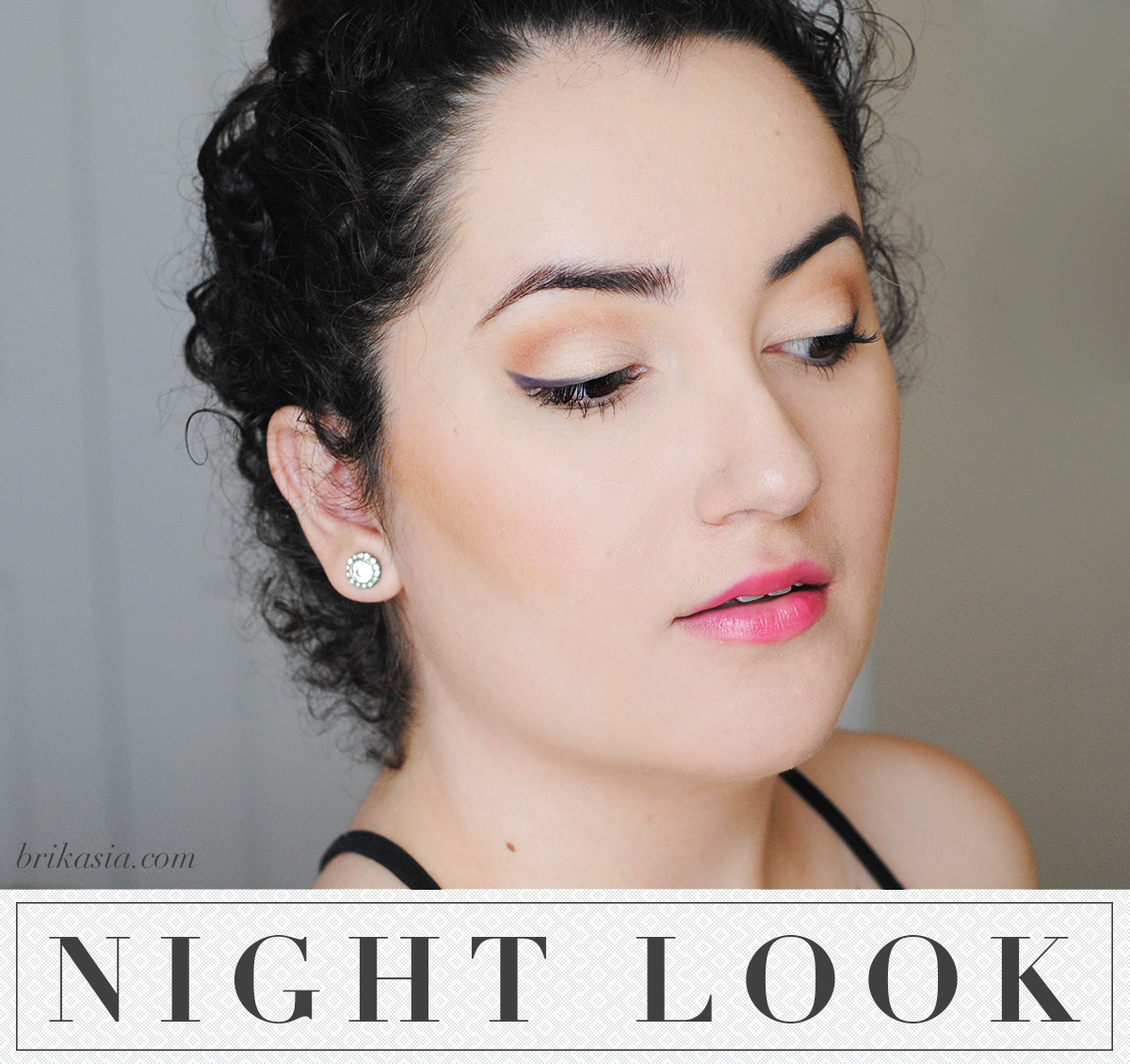
- Makeup (for all genders): If you choose to wear makeup, keep it natural and subtle. The goal is to enhance your features without appearing overdone. Use a foundation or tinted moisturizer to even out your skin tone. Apply a light dusting of powder to reduce shine.
- Hair: Style your hair in a way that is neat and tidy. Ensure your hair doesn’t obstruct your face or fall into your eyes.
- Accessories: Keep accessories to a minimum. Avoid large or distracting jewelry. A simple necklace or earrings can add a touch of personality.
- Test Run: Before your actual recording, do a test run with your clothing and makeup to see how they look on camera. This allows you to make any necessary adjustments.
Mastering Body Language on Camera
Body language is a powerful tool for conveying confidence, even when you’re feeling shy. Your nonverbal cues can significantly impact how viewers perceive you. By consciously controlling your posture, gestures, and eye contact, you can project an image of self-assurance and credibility, making your message more impactful. This section will delve into the specific techniques for using body language effectively on camera.
Conveying Confidence with Body Language
Confident body language is not about being overly animated or aggressive. It’s about projecting openness, sincerity, and control. It helps build trust with the audience and makes you appear more knowledgeable and composed. This section will discuss specific body language cues that communicate confidence effectively.
- Posture: Standing or sitting tall with your shoulders relaxed and back straight conveys confidence. Avoid slouching, which can make you appear hesitant or insecure. Imagine a string pulling you up from the crown of your head. This posture helps you breathe deeply and project a sense of authority.
- Gestures: Use natural, open gestures to emphasize your points. Avoid fidgeting, which can be distracting. Keep your hands visible and use them to add emphasis to your words. For example, you might use your hands to show the size of something, or to illustrate a process.
- Eye Contact: Maintain consistent eye contact with the camera, as if you are speaking directly to an individual. This shows engagement and sincerity. Avoid darting your eyes around or looking down frequently, which can make you appear nervous or untrustworthy. Try to hold eye contact for a few seconds at a time.
- Facial Expressions: A genuine smile and engaged facial expressions can make you appear more approachable and confident. Avoid a blank or expressionless face. Your face should mirror the tone and content of your message.
Utilizing Posture, Gestures, and Eye Contact Effectively
Using posture, gestures, and eye contact effectively requires practice and self-awareness. It’s about finding a balance that feels natural and authentic to you. The following techniques can help you master these key elements.
- Practicing Posture: Before filming, practice standing or sitting in front of a mirror, paying attention to your posture. Ensure your shoulders are relaxed, your back is straight, and your head is level. Make small adjustments until you feel comfortable and confident.
- Practicing Gestures: During practice, experiment with different gestures. Observe how they enhance your message. Avoid overly large or distracting gestures. Focus on using your hands to emphasize key points or illustrate concepts.
- Practicing Eye Contact: When practicing, position the camera at eye level. Imagine you are talking to a friend. Maintain eye contact with the camera, pausing for a few seconds between sentences. This will help you appear engaged and trustworthy.
- Incorporating Facial Expressions: Practice speaking in front of a mirror while consciously using different facial expressions. Match your expressions to the content you are discussing. For example, smile when you are making a positive point, or furrow your brow when you are discussing a challenge.
Identifying and Avoiding Common Body Language Mistakes
Certain body language habits can undermine your credibility and make you appear less confident. Being aware of these common mistakes and actively avoiding them is essential for projecting a strong image. This section will highlight some common pitfalls and how to avoid them.
- Fidgeting: Avoid playing with your hands, tapping your foot, or other distracting movements. These actions can make you appear nervous and undermine your message.
- Slouching: Slouching can make you appear less confident and engaged. Maintain good posture throughout your filming.
- Avoiding Eye Contact: Avoiding eye contact can make you appear untrustworthy or evasive. Make an effort to maintain consistent eye contact with the camera.
- Crossing Arms: Crossing your arms can signal defensiveness or a lack of openness. Keep your arms relaxed and at your sides, or use them to make natural gestures.
- Looking Down: Looking down frequently can make you appear insecure or unsure of yourself. Keep your head up and look at the camera.
Positive and Negative Body Language Examples
Here is a table that compares positive and negative body language cues. This table provides clear examples of what to do and what to avoid when filming.
| Body Language Element | Positive Example | Negative Example | Impact |
|---|---|---|---|
| Posture | Standing tall with shoulders relaxed and back straight. | Slouching, hunching over. | Projects confidence and authority vs. insecurity and lack of engagement. |
| Gestures | Using open, natural hand gestures to emphasize points. | Fidgeting, crossing arms, or keeping hands out of view. | Enhances communication and adds emphasis vs. distraction and closed-off communication. |
| Eye Contact | Maintaining consistent eye contact with the camera. | Avoiding eye contact, darting eyes. | Builds trust and engagement vs. appearing untrustworthy or nervous. |
| Facial Expressions | Smiling, nodding, and mirroring the content of the message. | Blank or expressionless face. | Conveys approachability and sincerity vs. appearing disinterested or disengaged. |
Vocal Delivery
Your voice is a powerful tool on camera. It’s not just
- what* you say, but
- how* you say it that conveys confidence. Mastering vocal delivery is crucial for connecting with your audience and ensuring your message is received with clarity and conviction. This section provides practical techniques to help you sound assured and articulate, even if you’re feeling nervous.
Projecting Your Voice
Projecting your voice effectively is essential for being heard and understood. It’s not about shouting, but rather using your breath and diaphragm to amplify your voice. This ensures clarity and prevents your voice from sounding weak or hesitant.Here’s how to project your voice with confidence:
- Diaphragmatic Breathing: Focus on breathing deeply from your diaphragm (the muscle below your lungs). Place your hand on your stomach; it should rise as you inhale and fall as you exhale. This provides a strong foundation for your voice.
- Posture: Stand or sit tall with your shoulders relaxed. Good posture allows for better airflow and vocal projection. Avoid slouching, which can constrict your diaphragm.
- Articulation: Enunciate your words clearly. Pay attention to the sounds of each syllable. Practice tongue twisters to improve your articulation. For example, try, “She sells seashells by the seashore.”
- Volume Control: Vary your volume to emphasize key points and keep your audience engaged. Avoid speaking too softly, which can make you sound unsure, or too loudly, which can be off-putting.
- Practice: Regularly practice speaking in front of a mirror or recording yourself. This will help you become more aware of your vocal habits and identify areas for improvement.
Managing Vocal Tremors
Vocal tremors, or a shaky voice, are a common symptom of nervousness. Fortunately, there are several strategies you can use to manage them and project a more confident image on camera.
- Deep Breathing Exercises: Before you start recording, practice deep, slow breaths to calm your nerves. Inhale deeply through your nose, hold for a few seconds, and exhale slowly through your mouth. Repeat this several times.
- Hydration: Drink water to keep your vocal cords lubricated. Dry vocal cords can exacerbate tremors. Avoid caffeine and alcohol, which can increase anxiety.
- Warm-up Exercises: Vocal warm-ups can help relax your vocal cords and reduce tension. See the section on vocal warm-ups for specific exercises.
- Positive Self-Talk: Remind yourself that it’s okay to be nervous. Focus on your message and the value you’re providing. Avoid dwelling on your nervousness.
- Pauses: If you feel a tremor, take a short pause before continuing. This gives you a moment to regain control and composure.
- Practice and Familiarity: The more you practice speaking on camera, the more comfortable you’ll become, which can reduce anxiety and tremors over time.
Pacing and Tone in Delivering a Confident Message
Pacing and tone are crucial elements of vocal delivery. They significantly impact how your message is received. Varying these elements keeps your audience engaged and conveys confidence.
- Pacing: Adjust your speaking speed to match the content. Speak slowly and deliberately when explaining complex information. Speed up slightly during more casual or engaging segments. Avoid speaking too quickly, which can make you sound rushed and anxious. Avoid speaking too slowly, which can be boring.
- Tone: Use a conversational and natural tone. Avoid sounding monotone or robotic. Vary your pitch to emphasize key points and maintain audience interest.
- Emphasis: Use emphasis to highlight important words or phrases. This helps your audience understand what’s most important. For example, if you’re saying, “This is
-critical*,” emphasize the word “critical.” - Pauses: Use pauses strategically. Pauses can provide emphasis, give your audience time to process information, and allow you to collect your thoughts.
- Example: Imagine you’re presenting a new product. A fast pace and excited tone during the introduction, a slower pace with a more serious tone when discussing features, and a return to a more enthusiastic tone during the call to action will keep the audience engaged.
Practicing Vocal Warm-ups Before Recording
Vocal warm-ups are essential for preparing your voice for speaking on camera. They help relax your vocal cords, improve articulation, and reduce the risk of vocal fatigue.Here are some effective vocal warm-up methods:
- Humming: Hum a simple melody, starting low and gradually increasing your pitch. Then, hum back down. This gently warms up your vocal cords.
- Lip Trills: Close your lips loosely and blow air through them to create a “brrr” sound. This helps to relax your lips and vocal cords.
- Tongue Twisters: Practice tongue twisters like, “Peter Piper picked a peck of pickled peppers,” to improve your articulation.
- Scale Exercises: Sing simple scales (do-re-mi-fa-so-fa-mi-re-do) to warm up your vocal range.
- Deep Breathing: Practice deep breathing exercises (as mentioned earlier) to relax your body and prepare your voice for projection.
- Yawning: Yawning can help to open your throat and relax your vocal cords.
Using the Camera as a Tool
The camera isn’t just a passive observer; it’s an active participant in shaping your on-screen persona. Understanding how to leverage its capabilities—framing, lighting, angles, and even the use of props and backgrounds—can significantly enhance your confidence and create a more compelling viewing experience. By mastering these techniques, you’ll be able to control how you are perceived and project the confident image you desire.
Framing to Your Advantage
The way you’re framed within the camera’s view has a powerful impact on how viewers perceive you. The choice of framing communicates information about you and your message.Consider these framing options:
- Close-up: Focusing on your face and shoulders, this framing is ideal for conveying emotion, emphasizing facial expressions, and creating intimacy. It works well for expressing personal stories or delivering a passionate message.
- Medium Shot: This framing captures you from the waist up, allowing viewers to see your upper body language. It’s a versatile choice suitable for demonstrations, presentations, and interviews, balancing facial expressions with body language.
- Wide Shot: Capturing your full body or even a broader scene, this framing establishes context and setting. It’s excellent for showcasing your environment, demonstrating movement, or presenting a large group.
- Over-the-Shoulder Shot: Used in conversations or interviews, this shot provides a point-of-view perspective, drawing the viewer into the conversation and creating a sense of connection.
Lighting Techniques
Effective lighting is crucial for a professional and confident on-camera presence. It eliminates shadows, highlights features, and ensures clarity.Utilizing lighting effectively involves understanding both natural and artificial light sources:
- Natural Light: Position yourself near a window, ideally facing it. This provides soft, flattering light that minimizes shadows. Avoid direct sunlight, which can create harsh shadows. If the window is too bright, diffuse the light with a sheer curtain.
- Artificial Light: Use a three-point lighting setup for optimal results:
- Key Light: The primary light source, placed at a 45-degree angle to your face.
- Fill Light: Placed on the opposite side of the key light, softening shadows.
- Back Light (Hair Light): Positioned behind you, separating you from the background and adding depth.
- Light Placement: Ensure the light source illuminates your face evenly, avoiding harsh shadows or bright spots. Experiment with different angles and distances to achieve the desired effect.
- Color Temperature: Consider the color temperature of your light sources. Daylight-balanced lights (5000-6500K) are generally preferred for video, as they produce a natural look.
Camera Angles and Perceived Confidence
The angle from which the camera captures you can significantly influence how confident you appear. Different angles convey different messages.Here’s how camera angles impact perceived confidence:
- Eye-Level: This is the most neutral angle, creating a sense of equality and connection. It’s ideal for interviews and presentations where you want to appear approachable and trustworthy.
- Low Angle: Shooting from below makes you appear powerful, dominant, and in control. This angle can be effective for making a statement or delivering a powerful message.
- High Angle: Shooting from above can make you appear vulnerable, submissive, or less powerful. It’s sometimes used to create a sense of intimacy or to show a character’s internal state.
- Dutch Angle (Tilted): This angle, where the camera is tilted to one side, creates a sense of unease, instability, or tension. It can be used to convey a character’s disorientation or a sense of conflict.
Utilizing Props and Backgrounds
Props and background elements can enhance your on-camera presence and add depth to your message. Careful selection and placement can support your message and project confidence.
Examples:
- Props: Holding a relevant object (e.g., a book, a product) can give you something to do with your hands and help illustrate your points. A doctor holding a stethoscope, or an artist holding a paintbrush.
- Backgrounds: A clean, uncluttered background is usually best for presentations. Consider using a backdrop related to your topic or a well-lit and organized space. A bookshelf, a plant, or a well-lit room can add visual interest.
- Color Psychology: Using specific colors in your background or clothing can influence the viewer’s perception. For example, blue often conveys trust and stability, while red can evoke excitement or passion.
Editing and Review: Learning from Your Videos
Reviewing your recordings is a crucial step in building camera confidence. It allows you to objectively assess your performance, identify areas for improvement, and track your progress over time. This process is not about self-criticism, but about self-awareness and refining your on-camera presence.
Constructive Video Review
A constructive review focuses on identifying strengths and weaknesses to inform future performance. Approach the review process with a positive mindset, ready to learn and adapt.
- Watch the video with a critical eye: Observe your overall performance, including body language, vocal delivery, and the clarity of your message.
- Focus on specific aspects: Break down your performance into manageable components. For instance, start by evaluating your posture, then your eye contact, and finally, your clarity of speech.
- Take notes: Jot down specific observations. Note both positive and negative aspects. This creates a concrete record of your performance.
- Identify patterns: Look for recurring issues. Are you consistently fidgeting? Do you tend to use filler words? Recognizing these patterns is the first step toward change.
- Set goals for improvement: Based on your observations, create actionable goals for your next recording session. For example, “Reduce the use of ‘um’ and ‘ah'” or “Maintain eye contact with the camera for longer periods.”
Removing Distractions and Nervous Habits
Editing is a valuable tool for refining your on-camera presence. It allows you to remove distracting elements and smooth out any nervous habits that might detract from your message.
- Identify distracting elements: These could include fidgeting, repetitive gestures, or nervous tics. Also, consider background noise or visual distractions in your environment.
- Trim unnecessary pauses and filler words: Use editing software to cut out lengthy pauses, “ums,” “ahs,” and other filler words. This makes your delivery more concise and engaging.
- Adjust the pacing: If your delivery feels rushed, you can subtly slow down the pace by adding brief pauses or lengthening certain words. Conversely, if your delivery is too slow, you can trim pauses to create a more dynamic feel.
- Remove technical glitches: Eliminate any technical issues such as poor lighting, audio problems, or camera shakiness.
- Use transitions: When editing, consider adding smooth transitions between different segments of your video. This can help to maintain viewer engagement and make your video feel more professional.
Seeking Feedback from Trusted Sources
Getting feedback from others can provide valuable insights that you might miss yourself. Choose people you trust and who can offer constructive criticism.
- Select your reviewers carefully: Choose individuals who understand your goals and are willing to provide honest and helpful feedback. These could be friends, family members, mentors, or colleagues.
- Provide context: Before sharing your video, explain your objectives and what you’re hoping to improve. This helps your reviewers understand what to look for.
- Ask specific questions: Instead of asking for general feedback, ask specific questions. For example, “Did my body language seem natural?” or “Was my message clear?”
- Be open to criticism: Remember that feedback is a gift. Try to receive it with an open mind and use it to improve your performance.
- Don’t take it personally: Understand that feedback is about your performance, not about you as a person.
Key Focus Areas for Video Recording Review
When reviewing your video recordings, focus on these key aspects of your on-camera performance. This structured approach helps in identifying areas needing attention.
- Body Language: Observe your posture, gestures, and facial expressions. Are they open, engaging, and congruent with your message?
- Eye Contact: Assess how often and effectively you make eye contact with the camera. Do you look directly at the lens or are your eyes wandering?
- Vocal Delivery: Evaluate your pace, tone, and clarity. Is your voice clear and easy to understand? Are you speaking at a comfortable pace? Are there many filler words?
- Content Clarity: Is your message easy to understand? Is the information organized logically? Is your language precise and effective?
- Energy and Enthusiasm: Does your performance convey energy and enthusiasm? Are you engaged with the topic and the audience?
- Technical Quality: Assess the quality of the video and audio. Is the lighting adequate? Is the sound clear and free of background noise?
Outcome Summary

In conclusion, transforming camera shyness into on-camera confidence is achievable with the right knowledge and practice. By understanding the underlying anxieties, preparing effectively, and mastering essential techniques like body language and vocal delivery, you can significantly improve your on-camera presence. Remember to embrace the learning process, review your videos constructively, and celebrate your progress. With consistent effort, you’ll not only look confident on camera, but you’ll also feel it, empowering you to share your message with the world.