How to Add Engaging Sound Effects to Your Content can dramatically transform your videos, podcasts, and other content formats. Sound effects aren’t just background noise; they’re powerful tools that tap into our emotions, enhance storytelling, and guide the audience’s attention. This guide will explore the psychological impact of sound effects, demonstrate how they elevate content across various platforms, and offer practical tips for seamless integration.
We’ll delve into identifying content types that benefit most from sound effects, sourcing high-quality audio, and mastering the art of timing and placement. From selecting the perfect “whoosh” to creating suspenseful moments, you’ll learn to use sound effects to their full potential. You’ll also discover how to avoid common pitfalls and optimize your audio for diverse devices and platforms, ensuring your content resonates with your audience.
Understanding the Role of Sound Effects in Content Creation
Sound effects are much more than just auditory sprinkles; they are powerful tools that can significantly enhance the impact and memorability of your content. By strategically incorporating sound effects, you can shape the audience’s emotional response, guide their attention, and elevate the overall storytelling experience. Let’s delve into how sound effects function and how they can be leveraged to create truly engaging content.
Psychological Impact of Sound Effects on Audience Engagement
Sound effects tap directly into our emotions and subconscious, influencing how we perceive and react to content. They create a richer, more immersive experience by stimulating our auditory senses, thereby affecting our emotional responses.The following points highlight the psychological effects of sound effects:
- Emotional Connection: Sound effects can trigger specific emotions, such as excitement, fear, or sadness. A creaking door in a horror film immediately creates a sense of suspense, while a cheerful chime can evoke feelings of joy. For instance, the use of a dramatic “whoosh” sound effect when a superhero makes a grand entrance in a movie instantly amplifies the feeling of power and excitement.
- Attention Grabbing: Unexpected or well-placed sound effects can grab the audience’s attention and maintain their focus. A sudden “ding” can signal a new piece of information, while a short “swoosh” can indicate a transition. This is often used in explainer videos to highlight key points or important data.
- Enhanced Realism: Sound effects add a layer of realism to content, making it more believable and immersive. The sound of rain, footsteps, or a bustling city creates a sense of presence and transports the audience into the scene. Think about a documentary about wildlife; the realistic sounds of animals in their natural habitat make the viewing experience more authentic and engaging.
- Memory Enhancement: Sounds are closely linked to memory. Specific sound effects can become associated with particular events or characters, making content more memorable. The iconic “lightsaber hum” in Star Wars is instantly recognizable and linked to the franchise.
Enhancing Storytelling with Sound Effects in Different Content Formats
Sound effects play a crucial role in enhancing storytelling across various content formats. Their effective use can elevate the audience’s experience, no matter the medium.Consider the following examples:
- Video Content: In video, sound effects can be used to emphasize actions, create transitions, and enhance the overall atmosphere. For example, a “punch” sound effect can make a fight scene more impactful, or a “page turn” sound can indicate a shift in the narrative. In a cooking video, the sizzling sound of food cooking in a pan can make the viewer’s mouth water.
- Podcasts: Podcasts heavily rely on sound effects to create immersive listening experiences. Sound effects can set the scene, punctuate jokes, or highlight important information. For instance, in a true-crime podcast, the sound of a police siren can indicate a crucial moment in the investigation, or a “record scratch” can signal a change of subject.
- Animations: Sound effects are critical in animation, where they provide the only auditory cues for the audience. Sounds help to define the action and add emotional depth. The cartoonish “boing” of a spring or the “splat” of a character falling can add to the comedic effect.
- Gaming: Sound effects are integral to gaming, providing feedback to the player and enhancing the immersive experience. The sound of a weapon firing, a footstep, or an explosion can influence the player’s perception of the game environment and their actions.
Differences Between Sound Effects, Music, and Ambient Sounds
While all contribute to the auditory experience, sound effects, music, and ambient sounds serve distinct purposes in content creation. Understanding these differences is crucial for effective audio design.The following table summarizes the key differences:
| Category | Purpose | Examples | Impact |
|---|---|---|---|
| Sound Effects | To simulate specific sounds, actions, or events. | Footsteps, explosions, door creaks, chimes, whooshes. | Enhance realism, draw attention, create emotional responses. |
| Music | To set the mood, evoke emotions, and provide a rhythmic backdrop. | Background scores, theme songs, individual tracks. | Shapes the overall atmosphere, reinforces narrative themes. |
| Ambient Sounds | To create a sense of environment and place. | Rain, wind, traffic, crowd noises, nature sounds. | Adds realism, establishes the setting, provides background context. |
Effectively combining these three elements is key to creating rich and engaging audio landscapes. For example, in a video game, ambient sounds like wind and birdsong establish the setting, music builds suspense or excitement, and sound effects like footsteps and weapon firing provide immediate feedback to the player.
Identifying Content That Benefits Most From Sound Effects
Sound effects are not universally beneficial; their effectiveness hinges on the content type and the desired audience experience. Knowing when and how to apply sound effects is crucial for enhancing engagement without causing distraction. This section will delve into the content types that see the most significant improvements from sound effects, along with scenarios where they boost comprehension, and content formats that may be negatively impacted by their overuse.
Content Types Where Sound Effects Are Crucial for Immersion
Certain content formats thrive on sound effects to transport viewers into a different world. These are the types of content where sound design is nearly as important as the visuals.
- Video Games: The very nature of video games depends on sound effects. From the satisfying
-clink* of a sword striking an enemy to the roar of a dragon, sound effects provide crucial feedback, enhance immersion, and contribute to the game’s overall atmosphere. For instance, consider the difference between playing a first-person shooter with and without sound; the experience is drastically altered.The
-boom* of an explosion, the
-whizz* of a bullet, and the character’s grunts and cries all work in concert to immerse the player. - Animation: Animated content, particularly cartoons and animated films, heavily relies on sound effects to bring the visuals to life. Sound effects provide emphasis and add to the comedic timing. For example, the exaggerated
-boing* sound of a spring or the
-splat* of a character falling. - Educational Videos with Visual Demonstrations: In tutorials or demonstrations, sound effects can clarify the action. Imagine a video explaining how to assemble a piece of furniture. The
-click* of a screw tightening, the
-thud* of a piece being placed, or the
-scrape* of a tool are all sound effects that make the instructions clearer and easier to follow. - Documentaries Focusing on Natural Environments or Historical Events: Sound effects are instrumental in documentaries, especially when depicting environments or events that are difficult or impossible to film. The sounds of a rainforest, the roar of a battle, or the wind howling over a desolate landscape can significantly enhance the audience’s experience.
Scenarios Where Sound Effects Can Improve User Comprehension
Sound effects, when implemented thoughtfully, can significantly improve comprehension. They act as cues and provide context that may be missed by visuals alone.
- Explaining Complex Processes: Sound effects can break down complex processes into more understandable segments. For example, in a tutorial on how a car engine works, the sound of pistons firing, the whir of the starter motor, and the rumble of the exhaust can help the viewer visualize and comprehend the mechanical process.
- Emphasizing Key Information: Sound effects can highlight crucial details within a video or presentation. A subtle
-ding* sound when a key statistic appears on screen can draw the viewer’s attention and make the information more memorable. - Providing Feedback in Interactive Content: In interactive content like quizzes or simulations, sound effects provide immediate feedback. A correct answer might be accompanied by a celebratory
-chime*, while an incorrect answer might elicit a
-buzz* sound. This instant feedback helps users learn and understand the information better. - Adding Emotional Weight to Storytelling: Sound effects can manipulate the audience’s emotional response to a narrative. For example, the sound of a heartbeat increasing during a suspenseful scene or a quiet, somber tone during a moment of grief.
Content Formats That Might Be Negatively Impacted by Excessive Sound Effects
While sound effects can be beneficial, they can also be detrimental to certain types of content. Overuse can lead to distraction and a decrease in user experience.
- Content Focused on Deep Thinking or Concentration: Excessive sound effects can distract from the primary message. For example, a long-form essay or a podcast designed to promote critical thinking is unlikely to benefit from sound effects.
- News Reports and Serious Discussions: News programs and serious discussions often require a focus on facts and information. Sound effects, especially those that are dramatic or overly attention-grabbing, can detract from the seriousness of the topic.
- Content Intended for a Relaxed or Meditative Experience: Content designed for relaxation or meditation, such as guided meditations or ambient soundscapes, should use sound effects sparingly, as they can disrupt the desired state of mind. Overuse of sudden sounds could cause unwanted reactions.
- Long-Form Content Where Repetition Might Occur: Overusing sound effects in a long video can make them repetitive and annoying. A short, impactful sound effect can work, but repeating the same effect throughout the content could cause fatigue and disinterest.
Sourcing High-Quality Sound Effects
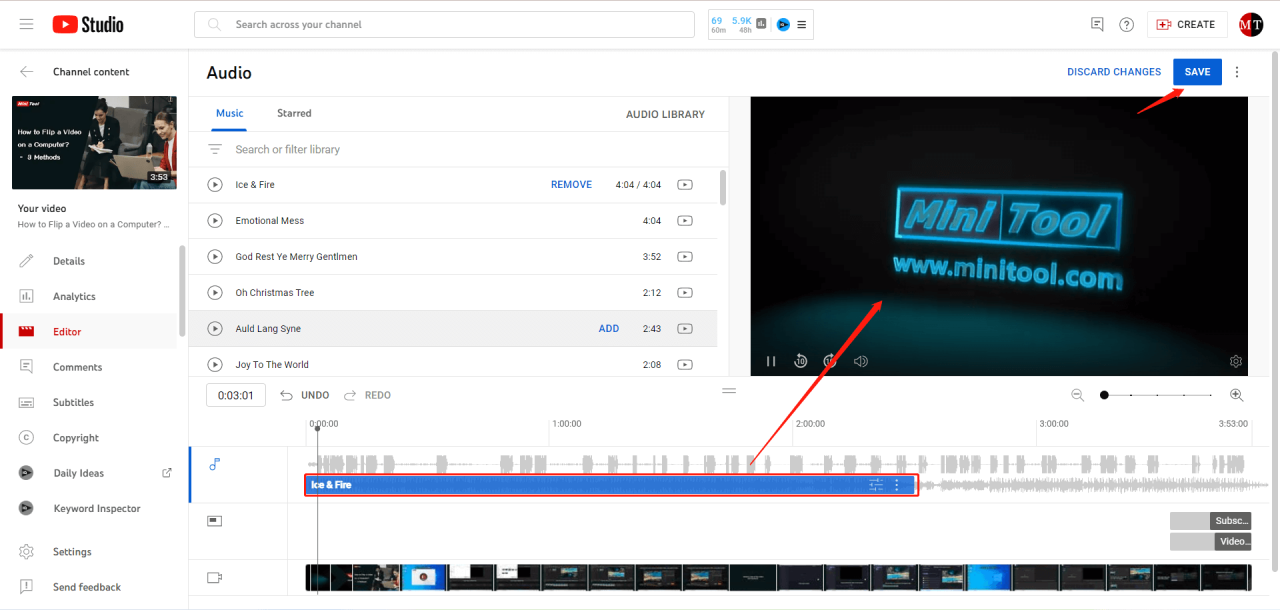
Finding the right sound effects is crucial to elevate your content. The quality of your sound effects directly impacts the professionalism and engagement of your audience. This section guides you through the process of locating, evaluating, and utilizing high-quality, royalty-free sound effects for your creative projects.
Demonstrating Methods for Finding Royalty-Free Sound Effects
Finding royalty-free sound effects is essential to avoid copyright issues and ensure you can use the sounds legally in your content. Several methods exist for discovering these audio assets.
- Using Search Engines: Employing specific search terms within search engines like Google or DuckDuckGo is a straightforward approach. Use phrases like “royalty-free sound effects,” “free sound effects download,” or specify the type of sound you need (e.g., “royalty-free door creak sound effect”). Be sure to filter your search results to ensure the websites listed are reputable.
- Exploring Dedicated Sound Effect Libraries: Many websites specialize in providing royalty-free sound effects. These libraries often offer advanced search filters, allowing you to refine your search based on categories, tags, and licensing options. This method provides more specialized results than general search engines.
- Leveraging Creative Commons Licenses: Some creators release their sound effects under Creative Commons licenses, such as CC0 (public domain) or CC BY (Attribution). These licenses permit the use of the sound effects, often with specific requirements, such as giving attribution to the creator. Always carefully review the license terms before using any sound effect.
- Checking Stock Media Platforms: Platforms that offer stock photos, videos, and music frequently include sound effects in their libraries. While some may require a subscription, they often offer a wide selection of high-quality audio assets.
Organizing a List of Reputable Online Resources for Sound Effect Libraries
Several online resources offer extensive libraries of royalty-free sound effects. These platforms have been chosen based on their reputation, the quality of their sound effects, and their user-friendly interfaces.
- Freesound.org: Freesound is a collaborative platform hosting thousands of sound effects uploaded by users. Sounds are typically available under Creative Commons licenses, requiring users to review the specific license terms. It’s an excellent resource for a wide variety of sounds, from ambient noises to specific sound events.
- ZapSplat: ZapSplat provides a vast collection of royalty-free sound effects, categorized for easy browsing. The site offers both free and premium options. Free users can download sounds with attribution requirements.
- SoundBible.com: SoundBible offers a curated selection of free sound effects, categorized by type. Users can easily search for specific sounds or browse by category. Sound effects are generally royalty-free, but users should always check the license terms.
- Pixabay: Pixabay is known for its vast library of free stock images, videos, and music. They also offer a selection of sound effects, available for free use, typically under the Pixabay License, which permits use without attribution in most cases.
- AudioMicro: AudioMicro offers a marketplace for royalty-free music and sound effects. It features both free and premium options, providing a broad range of audio assets.
Creating a Guide for Evaluating the Quality of a Sound Effect Before Using It
Assessing the quality of a sound effect is essential to ensure it enhances your content and does not detract from it. Several factors should be considered during the evaluation process.
- Listen to the Full Sound Effect: Avoid judging a sound effect based on a short preview. Listen to the entire audio file to understand its full range and any potential imperfections. This allows you to determine if the sound effect suits your project.
- Check for Noise and Artifacts: Pay attention to any unwanted background noise, such as hissing, hums, or clicks. These imperfections can make the sound effect sound unprofessional and distracting.
- Assess the Dynamic Range: The dynamic range refers to the difference between the quietest and loudest parts of the sound effect. A good dynamic range ensures that the sound effect has sufficient impact without being overly loud or quiet.
- Consider the File Format and Bitrate: Higher bitrates and lossless formats like WAV generally indicate higher quality audio. MP3 files are often compressed, so the quality can vary. Choose the file format that best suits your needs and the platform where your content will be published.
- Evaluate the Sound Effect’s Relevance: Does the sound effect match the intended context and action in your content? A mismatch can confuse the audience. For instance, a creaking door sound effect would be appropriate for a scene involving a door, but less so for a spaceship taking off.
- Test the Sound Effect in Your Project: Before committing to a sound effect, insert it into your content and listen to it within the context of your project. This allows you to evaluate how it blends with other audio elements, such as music and dialogue.
- Review the Licensing: Always carefully review the license terms of the sound effect to ensure it is suitable for your intended use. This includes understanding any attribution requirements or limitations on usage.
Choosing the Right Sound Effects for Your Content
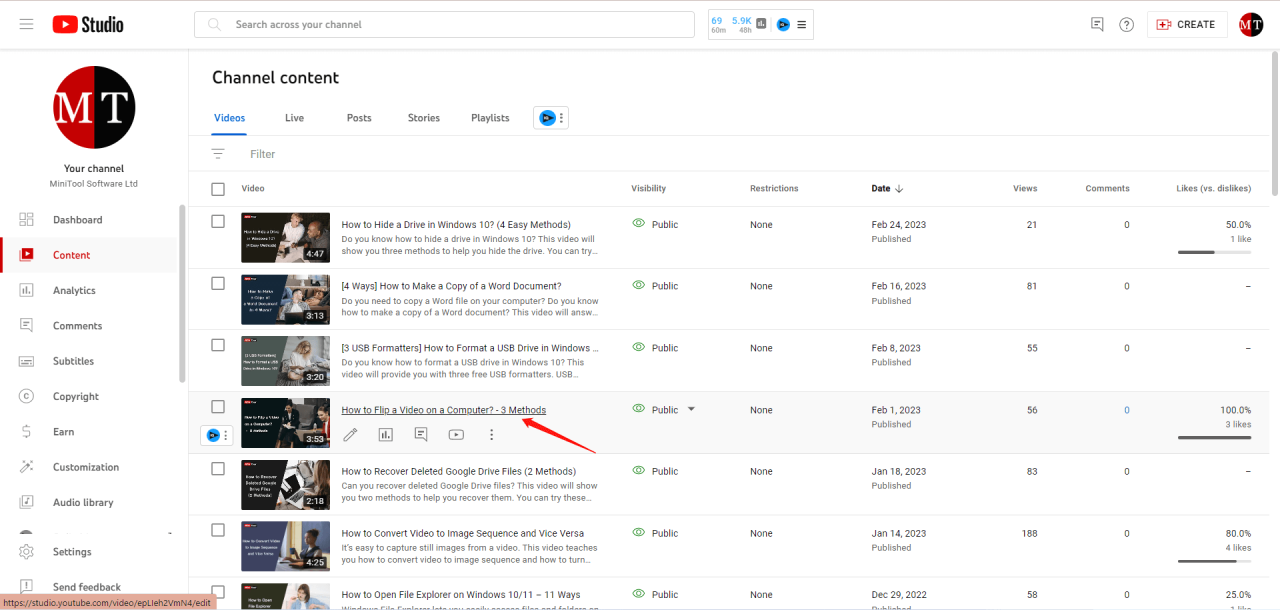
Selecting the perfect sound effects is crucial for elevating your content. It’s about more than just adding noise; it’s about enhancing the viewer’s experience, drawing them deeper into the narrative, and creating a more immersive environment. This section will guide you through the process of making informed choices, ensuring your sound effects complement and amplify your visuals.
Matching Sound Effects to Scenes and Events
The art of matching sound effects to specific scenes and events is about creating a cohesive auditory experience. The goal is to make the sound effects feel natural and integrated, enhancing the emotional impact and realism of the content.
- Scene Analysis: Before choosing any sound effects, carefully analyze the scene. Consider the setting, the actions taking place, the emotional tone, and the overall narrative. For example, a quiet forest scene might require gentle rustling leaves, birds chirping, and distant animal calls. A bustling city scene, on the other hand, would necessitate traffic sounds, conversations, and ambient city noise.
- Event Synchronization: Synchronize sound effects with specific events within the scene. A door slamming should coincide precisely with the visual of the door closing. A punch should have a corresponding impact sound that feels powerful and believable. Accurate timing is essential for creating a believable and engaging experience.
- Emotional Resonance: Choose sound effects that match the emotional tone of the scene. A suspenseful moment might use a low, rumbling sound, a heartbeat sound effect, or a high-pitched whine. A comedic scene might use exaggerated cartoonish sounds or whooshes. The sound effects should amplify the intended emotional response from the audience.
- Layering and Mixing: Combine different sound effects to create a rich and detailed soundscape. Layer ambient sounds with specific event sounds to build a more immersive experience. Balance the levels of each sound effect during the mixing process to ensure they complement each other without clashing or overwhelming the viewer.
Comparing Different Sound Effect Categories
Understanding the different categories of sound effects allows for more informed choices and a more polished final product. Each category has its unique characteristics and applications.
- Foley: Foley sounds are the everyday sounds created to match the on-screen action. These sounds are recorded in sync with the visuals. This category includes footsteps, clothing rustles, object manipulations (opening doors, picking up objects), and other sounds that create a sense of realism. The process involves a Foley artist watching the content and performing the actions to create the sounds.
For example, a Foley artist might crinkle cellophane to simulate the sound of walking on snow.
- Whooshes: Whooshes are typically used to indicate movement, transitions, or impacts. They are often used in action sequences, fight scenes, or to emphasize a sudden change. Whooshes can be created in various ways, from recording actual sounds (like the air rushing past an object) to synthesizing them digitally. They add a dynamic and energetic feel to the content.
- Impacts: Impact sounds are designed to emphasize a collision or forceful event. This category includes explosions, punches, crashes, and other violent or sudden actions. Impact sounds often have a strong low-frequency component to convey power and weight. The effectiveness of impact sounds is highly dependent on the scene’s visuals and the emotional impact that is intended.
- Ambient Sounds: Ambient sounds create the background environment of a scene. They establish the setting and create a sense of realism. This category includes environmental sounds like wind, rain, traffic, and crowd noise. Ambient sounds are crucial for immersing the viewer in the content and creating a believable soundscape.
- Transitions: Transition sounds are designed to mark a change from one scene to another. They can be subtle or dramatic, depending on the desired effect. Common examples include fades, wipes, and crossfades. Transition sounds help the viewer understand the structure of the content and smoothly guide them through the narrative.
Designing a Decision-Making Framework for Selecting Sound Effects
Creating a decision-making framework streamlines the process of selecting the most appropriate sound effects for your content. It ensures that the choices are deliberate, well-considered, and aligned with the overall goals of the project.
- Define the Goal: Clearly identify the purpose of the sound effect. Is it to enhance realism, create suspense, or add humor? Understanding the goal will help guide the selection process. For instance, if the goal is to create suspense, you’ll look for sounds that evoke tension and anticipation.
- Analyze the Scene: As previously discussed, carefully analyze the scene, noting the setting, actions, and emotional tone. This analysis will provide a foundation for sound effect selection. For example, a dramatic reveal in a dimly lit room might use a slow, echoing sound effect.
- Brainstorm Sound Effect Ideas: Generate a list of potential sound effects that could enhance the scene. Consider different categories (Foley, whooshes, impacts, etc.) and explore various options. Use a mood board or reference other content for inspiration.
- Test and Evaluate: Audition different sound effects within the context of the content. Experiment with variations in volume, timing, and layering. Evaluate each sound effect based on its effectiveness in achieving the defined goal.
- Refine and Iterate: Refine the sound effect selection based on the testing and evaluation process. Adjust the sound effects, timing, or layering as needed. This iterative process is crucial for achieving the desired effect.
- Consider Licensing: Ensure the selected sound effects are licensed appropriately for the intended use. This protects against copyright infringement and ensures that you can use the sounds legally. Check the license terms carefully before using any sound effect.
This framework helps to ensure that the sound effects are carefully considered and chosen to maximize their impact on the viewer’s experience.
Techniques for Implementing Sound Effects
Now that you have a collection of great sound effects and understand how to choose the right ones, let’s dive into the practical side of incorporating them into your content. This section will cover the essential techniques for seamlessly integrating sound effects, ensuring they enhance your work without detracting from it. We’ll explore audio editing software basics, walk through adding sound effects in a popular editing tool, and discuss the critical aspect of volume adjustment.
Basics of Audio Editing Software for Sound Effect Integration
Audio editing software is the core tool for manipulating and incorporating sound effects. These programs allow you to import, edit, and export audio files with precision. Understanding the fundamental features is crucial for effective sound effect integration.The core functionalities you’ll encounter include:
- Importing Audio: This is the first step, allowing you to bring your sound effects and video audio into the software. Most software supports a wide range of audio file formats (e.g., WAV, MP3, AIFF).
- Timeline: The timeline is where you arrange your audio clips, visualize their duration, and see the relationships between different sounds. It’s the canvas for your audio editing.
- Trimming and Cutting: These tools allow you to remove unwanted portions of your sound effects or video audio. Precise trimming ensures your sound effects start and end exactly where you want them.
- Volume Adjustment: Crucial for balancing sound effects with the original audio. You can adjust the overall volume of a clip, fade in/out, and apply compression or normalization to achieve a consistent sound level.
- Fades: Fades (fade-in and fade-out) create smooth transitions, preventing abrupt starts or stops. This is especially important for sound effects to avoid jarring the listener.
- Effects (Optional): Many software programs offer built-in effects like reverb, delay, and equalization (EQ). These can be used to further enhance the sound effects or match their characteristics to the surrounding audio.
- Exporting Audio: Once you’ve finished editing, you’ll export your audio. The export settings determine the file format, quality, and size of the final audio file.
Popular audio editing software options include Audacity (free and open-source), Adobe Audition (paid), and GarageBand (free for macOS users). Each has a slightly different interface, but the core principles remain the same. Familiarizing yourself with these basic features will empower you to manipulate sound effects effectively.
Step-by-step for Adding Sound Effects to a Video Using a Popular Editing Tool
Let’s use Adobe Premiere Pro as an example to illustrate the process of adding sound effects to your video. The steps are similar across many video editing software platforms.Here’s a step-by-step guide:
- Import Your Media: Open your project in Premiere Pro. Import your video footage and your chosen sound effects. You can do this by going to File > Import or by dragging and dropping the files into the Project panel.
- Add Video to Timeline: Drag your video clip from the Project panel to the timeline. The timeline is where you’ll arrange your video and audio.
- Locate the Sound Effect Placement: Play your video and identify the precise points where you want to add your sound effects. For example, if you have a door slamming sound effect, pinpoint the exact frame where the door closes.
- Add the Sound Effect to the Timeline: Drag the sound effect file from the Project panel to the timeline. Place it on an audio track below your video track.
- Align the Sound Effect: Use the timeline tools to precisely align the sound effect with the corresponding visual element in your video. Zoom in on the timeline for greater accuracy.
- Trim and Adjust the Sound Effect’s Duration: If necessary, trim the sound effect to match the visual action. Use the razor tool to cut the sound effect and then delete the unwanted parts.
- Adjust Volume Levels: This is critical. Adjust the volume of the sound effect to ensure it complements the existing audio. Use the audio track mixer or the clip’s audio gain controls.
- Add Fades (Optional): Add fade-in and fade-out effects to the sound effect to create smoother transitions. This prevents abrupt starts and stops, which can be jarring. You can do this by dragging the fade handles at the beginning and end of the audio clip or by using the audio keyframes.
- Preview and Fine-Tune: Play the video with the sound effect and listen carefully. Make any necessary adjustments to the placement, volume, or fades. Repeat this process until the sound effect integrates seamlessly.
- Export Your Video: Once you are satisfied, export your video. Choose your desired export settings, including video resolution, frame rate, and audio quality.
This process, though illustrated with Premiere Pro, is broadly applicable. The specific buttons and controls may vary, but the core workflow remains consistent across different video editing software packages.
Tips for Adjusting Volume Levels to Ensure Sound Effects Complement, Rather Than Overwhelm, the Content
Proper volume adjustment is critical to ensuring sound effects enhance your content without distracting from the core message. Incorrect volume levels can make your video sound amateurish or difficult to follow.Here are some key tips:
- Listen to the Original Audio: Before adding sound effects, carefully listen to the original audio in your video. This will give you a baseline for volume levels.
- Start Low: Begin by setting the sound effect volume relatively low. It’s easier to increase the volume than to reduce it after the fact.
- Use a Decibel Meter (Optional): If your editing software has a decibel meter, use it to monitor audio levels. Aim for levels that don’t clip (exceed the maximum allowable volume) to avoid distortion.
- Reference Levels: Use the existing audio as a reference. The sound effect should be noticeable but not louder than the primary audio (dialogue, narration).
- Dynamic Range: Consider the dynamic range of your sound effects. A sound effect with a wide dynamic range might require more careful volume adjustments to prevent loud peaks.
- Dialogue Priority: Always prioritize dialogue or narration. Ensure that sound effects do not obscure important speech.
- Use Keyframes: Keyframes allow you to vary the volume of a sound effect over time. This is useful for creating dynamic soundscapes and preventing the effect from being too loud in certain parts.
- Test on Different Devices: Test your video on various devices (headphones, speakers, mobile phones) to ensure the sound effects sound balanced across different playback systems.
- Fade-In and Fade-Out: Using fade-in and fade-out effects can help to smooth out the transitions and reduce abrupt changes in volume.
- Consider the Context: The appropriate volume will depend on the context. A subtle sound effect might be suitable for a documentary, while a more pronounced effect might be suitable for an action-packed scene.
By paying close attention to these tips, you can ensure that your sound effects blend seamlessly into your content, enriching the viewer’s experience without becoming a distraction.
Timing and Placement of Sound Effects
Precise timing and strategic placement are crucial for sound effects to enhance your content effectively. Thoughtful synchronization can elevate the viewing experience, creating a more immersive and engaging environment for your audience. Poorly timed or misplaced sound effects can be distracting and diminish the impact of your content.
Importance of Precise Timing
The effectiveness of a sound effect heavily relies on its perfect synchronization with the visual elements. Accurate timing ensures that the audio and visual cues align seamlessly, creating a cohesive and impactful experience for the viewer. This synchronization helps to ground the audience in the scene, enhancing their understanding and emotional connection.
Anticipating Effective Sound Effect Placement
Identifying the optimal points for sound effects requires careful consideration of the content’s narrative and visual elements. This process involves analyzing the scene and anticipating where sound effects can best amplify the impact of the visuals.
- Identify Key Moments: Determine the critical points in the scene where sound effects will have the most significant impact. These often include moments of action, transition, or emotional emphasis. For example, a sudden explosion in a movie requires a powerful sound effect to convey its intensity.
- Analyze Visual Cues: Pay close attention to visual cues, such as character actions, object movements, and scene transitions. These cues provide opportunities for adding complementary sound effects. A character slamming a door, for example, would naturally be accompanied by a door-slam sound effect.
- Consider Emotional Impact: Sound effects can significantly influence the emotional impact of a scene. Consider what emotions you want to evoke in your audience and choose sound effects accordingly. A suspenseful scene might benefit from subtle, echoing sounds to build tension, while a joyful scene might incorporate uplifting sound effects.
- Study the Rhythm and Pacing: The rhythm and pacing of your content should inform your sound effect choices. Fast-paced scenes may require quicker, more frequent sound effects, while slower scenes may benefit from more sparse and deliberate sound cues.
- Anticipate Transitions: Sound effects can be instrumental in creating smooth transitions between scenes or segments. For example, a whooshing sound can effectively signal a change in location or time.
Synchronizing Sound Effects with On-Screen Actions
Synchronizing sound effects with on-screen actions involves meticulous editing and attention to detail. This process ensures that the audio and visual elements align perfectly, enhancing the realism and impact of the content.
- Use Editing Software Tools: Utilize editing software’s features for precise sound effect placement. Most software provides tools like waveform displays and timeline markers to help you align sound effects with visual cues accurately.
- Waveform Analysis: Analyze the waveform of the sound effect and the visual cue to ensure precise alignment. This allows you to identify the specific point in the sound effect that corresponds to the action on screen. For instance, in a scene depicting a punch, you’d align the impact sound with the moment of contact.
- Adjust for Perspective: Consider the perspective of the viewer when synchronizing sound effects. The distance of the sound source affects the perceived timing. For example, a sound effect of a distant car horn should be delayed slightly to match the visual of the car appearing in the distance.
- Experiment with Pre- and Post-Roll: Experiment with pre-roll (the sound effect starting slightly before the visual action) and post-roll (the sound effect continuing slightly after the visual action) to find the most natural and impactful timing. This technique can add to the realism and emotional impact.
- Fine-Tune with Feedback: Watch the content repeatedly and listen carefully to the sound effects. Make adjustments based on your observations to refine the synchronization and ensure the audio complements the visuals seamlessly. The goal is to create a harmonious blend of sight and sound that enhances the viewer’s experience.
Creative Uses of Sound Effects

Sound effects are powerful tools that can transform content from passive to actively engaging. While often used to mimic real-world sounds, their potential extends far beyond simple replication. This section delves into the more creative and unconventional applications of sound effects, showcasing how they can be used to elicit laughter, build tension, and highlight crucial details.
Unconventional Uses of Sound Effects for Comedic Effect
Sound effects can significantly enhance comedic timing and create unexpected moments of humor. This involves using sounds in ways that are incongruous with the visuals or the expected narrative. This technique can range from the subtle to the absurd, depending on the desired comedic effect.
- Exaggerated Sound Design: Over-the-top sound effects that don’t match the scale of the action can be incredibly funny. For instance, a tiny object falling might be accompanied by the sound of a massive explosion, creating an unexpected and humorous contrast.
- Unexpected Sound Placement: Placing a sound effect in a context where it’s completely out of place can generate laughter. Imagine a serious scene in a courtroom, suddenly punctuated by the sound of a cartoonish “boing!” or a slide whistle.
- Sound Effects as Puns or Wordplay: Cleverly using sound effects to play on words or create visual puns can be highly effective. For example, a character struggling with a heavy object might be accompanied by the sound of a “whoosh” followed by a sigh, implying a struggle of air.
- Sound Effects Mimicking Actions or Thoughts: Sound effects can be used to internalize thoughts or feelings. A character experiencing a moment of realization might be accompanied by a “lightbulb” sound effect, or feelings of confusion might be represented by a jumbled, distorted soundscape.
Sound Effects for Creating Suspense and Tension
Sound effects are essential for building suspense and tension in content. They can subtly manipulate the audience’s emotions, preparing them for an anticipated event or creating a sense of unease. The effective use of sound effects in this context is often about what is
not* heard, as much as what is.
- The “Silence is Golden” Approach: Carefully placed moments of silence, punctuated by a single, unnerving sound effect, can be highly effective. The absence of sound creates anticipation, and a sudden, unexpected noise can jolt the audience.
- Slow Buildup: Gradually increasing the volume or intensity of a sound effect can build suspense. For instance, the slow, rhythmic dripping of water or the creaking of a door can create a sense of foreboding.
- Distorted or Unnatural Sounds: Sounds that are slightly distorted, altered, or unnatural can create a feeling of unease. This could involve slowing down or speeding up a sound, adding reverb to make it echo, or combining different sounds to create something unfamiliar.
- The “Off-Screen” Sound: Sounds that suggest something is happening just out of view can be incredibly effective in building tension. A scream, a crash, or footsteps approaching can all create suspense when the audience can’t see the source.
Using Sound Effects to Highlight Specific Details
Sound effects can draw attention to particular elements within a scene, guiding the audience’s focus and emphasizing important information. This is particularly useful for highlighting key actions, revealing crucial clues, or emphasizing the emotional impact of a moment.
- Emphasizing Actions: A well-timed sound effect can emphasize the impact of an action. For instance, the sound of a glass shattering can highlight a moment of anger or surprise, while a specific “whoosh” can emphasize the speed of a movement.
- Revealing Clues: Sound effects can provide auditory clues that the audience might otherwise miss. A subtle creak in the floorboards, a distant whisper, or the sound of a specific object falling can all provide information that helps to advance the plot.
- Emotional Impact: Sound effects can amplify the emotional impact of a scene. A character’s sigh of relief, a gasp of fear, or the sound of a heartbeat can help to convey the emotional state of a character and immerse the audience in the scene.
- Creating a Sense of Scale: The type of sound effects can also be used to create a sense of scale and depth. For instance, the use of low-frequency sound effects such as rumbling can make the audience feel the power of the environment.
Optimizing Sound Effects for Different Platforms
Ensuring your sound effects sound great everywhere requires understanding the technical landscape of different platforms. Each social media platform, browser, and device has its own set of rules for audio playback, impacting how your carefully chosen sound effects are experienced by your audience. Optimizing your audio files will help maintain audio quality and prevent unexpected issues.
Technical Considerations for Audio Playback on Various Social Media Platforms
Social media platforms vary significantly in their audio handling capabilities. These differences affect file format support, compression algorithms, and volume normalization. Understanding these differences is crucial for delivering a consistent listening experience.
- File Format Support: Each platform supports specific audio file formats. Common formats include MP3, AAC, and WAV. For example, TikTok often recommends using MP3 or AAC, while YouTube generally supports a broader range, including WAV for higher-quality uploads.
- Compression Algorithms: Platforms employ compression to reduce file sizes, which impacts audio quality. Compression can remove details, especially in high-frequency sounds. The extent of compression varies, with some platforms prioritizing file size over audio fidelity. For example, Instagram’s compression might be more aggressive than YouTube’s, which can lead to a noticeable difference in the clarity of your sound effects.
- Volume Normalization: Platforms use volume normalization to ensure a consistent listening experience. This means they adjust the volume of audio to prevent excessively loud or quiet sounds. This can affect how your sound effects are perceived relative to other audio elements. Understanding these normalization algorithms helps you optimize the perceived loudness of your sound effects.
- Bitrate and Sample Rate: The bitrate and sample rate of your audio files directly affect audio quality. Higher bitrates and sample rates generally result in better sound quality but also larger file sizes. Platforms often have recommended bitrates and sample rates for optimal playback. YouTube recommends a bitrate of 128 kbps for MP3 files and a sample rate of 44.1 kHz.
- Platform-Specific Recommendations: Each platform provides guidelines for audio uploads. Reviewing these guidelines ensures your sound effects are compatible and optimized for the intended audience. For instance, Facebook may have specific recommendations regarding the length of audio files and the use of captions.
Guidelines for Optimizing Sound Effects for Mobile Devices
Mobile devices are a primary way people consume content, so optimizing sound effects for them is critical. Mobile devices have smaller speakers and limited processing power, which can impact audio playback.
- Use Appropriate File Formats: Choose formats that are widely supported on mobile devices, such as AAC or MP3. AAC often provides better audio quality at smaller file sizes, which is ideal for mobile users.
- Optimize Bitrate: Consider a lower bitrate for mobile devices to reduce file size without significantly sacrificing quality. A bitrate of 128 kbps or even 96 kbps for MP3 can be suitable, especially for sound effects that are not highly complex.
- Pay Attention to Loudness: Mobile devices have smaller speakers, which might make it difficult to hear quiet sounds. Ensure your sound effects have an appropriate loudness level without clipping or distortion.
- Test on Various Devices: Test your sound effects on different mobile devices and operating systems (iOS and Android) to ensure consistent playback. Listen with headphones and the device’s built-in speakers.
- Consider the Environment: Mobile devices are often used in noisy environments. Make sure your sound effects are clear and audible even in less-than-ideal listening conditions.
Ensuring Audio Quality Across Different Devices and Browsers
Audio quality can vary significantly depending on the device and browser used to play your content. Optimizing for this variability ensures a consistent experience for all viewers.
- Browser Compatibility: Different browsers support different audio codecs. Ensure your chosen audio format is widely supported by all major browsers (Chrome, Firefox, Safari, Edge). MP3 and AAC are generally safe choices.
- Device-Specific Testing: Test your content on various devices, including desktops, laptops, tablets, and smartphones. This helps identify any audio playback issues specific to certain devices.
- Use Consistent Audio Levels: Maintain consistent audio levels throughout your content. This prevents sudden changes in volume that can be jarring to the listener. Use a Digital Audio Workstation (DAW) to normalize audio levels.
- Consider Headphone Usage: Many users consume content with headphones. Ensure your sound effects are well-balanced for headphone listening. Check for any phase issues that might negatively impact the stereo image.
- Leverage Adaptive Bitrate Streaming: For video platforms, use adaptive bitrate streaming. This technology adjusts the audio quality based on the user’s internet connection speed, providing the best possible experience.
Common Mistakes to Avoid When Using Sound Effects
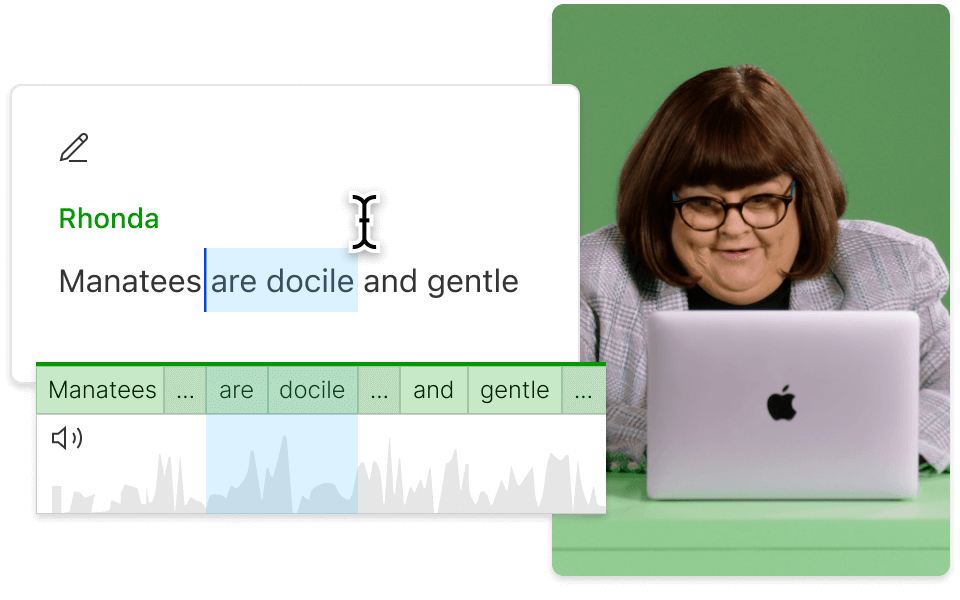
Implementing sound effects can significantly elevate your content, but it’s easy to make mistakes that detract from the overall experience. Understanding these pitfalls and how to avoid them is crucial for creating polished and engaging content. This section focuses on common errors in sound effect implementation and how to ensure your choices enhance, rather than hinder, your audience’s enjoyment.
Overuse of Sound Effects
Excessive use of sound effects can quickly become overwhelming and distracting. The goal is to enhance the content, not to bombard the audience with noise.
- Distracting the Viewer: Overusing sound effects can pull the viewer’s attention away from the core message or visual elements. Think of it like a visual clutter; too many competing sounds create a similar effect.
- Creating Fatigue: Constant sound effects, especially if they’re repetitive or loud, can lead to auditory fatigue, causing the audience to tune out.
- Example: Imagine a cooking tutorial where every single action – chopping vegetables, stirring a pot, closing a cupboard – is accompanied by a sound effect. While individual sounds might be fine, the cumulative effect becomes irritating.
Poor Sound Effect Choice
Selecting inappropriate or low-quality sound effects can ruin the intended impact and diminish the professionalism of your content. The right sound effect enhances the content, while the wrong one does the opposite.
- Incongruent Sounds: Choosing sound effects that don’t match the on-screen action or the overall tone of the content is a major mistake. For example, using a cartoonish “boing” sound effect during a serious documentary segment would be jarring.
- Low-Quality Audio: Using sound effects with poor audio quality (e.g., crackling, hissing, or distorted sounds) immediately signals a lack of attention to detail and professionalism. It makes your content appear amateurish.
- Example: A tutorial about a serious scientific experiment using a comical “splat” sound effect when something spills would be inappropriate.
Incorrect Timing and Placement
The timing of sound effects is as important as the effects themselves. Poorly timed sounds can confuse the audience or disrupt the flow of the content.
- Mismatched Timing: If a sound effect plays before or after the action it’s supposed to accompany, it creates a disconnect and undermines the content’s credibility.
- Overlapping Sounds: Having too many sound effects play simultaneously can create an unintelligible mess, making it difficult for the audience to focus on anything.
- Example: In a video showcasing a product feature, if the “click” sound of a button press occurs
-before* the button is actually pressed on screen, the audience will be confused.
Using Generic or Overused Sound Effects
Relying on generic or excessively used sound effects can make your content sound unoriginal and predictable. The aim is to create unique and memorable content.
- Lack of Originality: Overused sounds can make your content feel generic and lack a unique identity. The audience might recognize them from other videos, which can disrupt the viewing experience.
- Reduced Impact: When a sound effect is overused, it loses its impact. The audience becomes desensitized to it, and it no longer serves to enhance the content.
- Example: The Wilhelm Scream, though iconic, should be used sparingly, if at all, to avoid appearing cliché. The same applies to stock sounds like the generic “whoosh” or “pop.”
Ignoring Platform-Specific Requirements
Sound effects that work well on one platform might not translate effectively to another. Content creators need to consider the unique features and constraints of each platform.
- Volume and Loudness: Sound effects that are too loud on mobile devices can be jarring, while effects that are too quiet may be missed altogether.
- Automatic Adjustments: Some platforms automatically adjust audio levels, which can impact the intended impact of your sound effects. For example, a platform might lower the volume of all sound effects if the content is deemed ‘too loud’.
- Example: A sound effect that sounds great on a desktop speaker system might be barely audible on a smartphone. Consider the typical viewing environment for your target audience on each platform.
Examples of Effective Sound Effect Usage
Sound effects, when used thoughtfully, can dramatically enhance content, making it more engaging and memorable. They add layers of immersion, emphasizing key moments and conveying emotions more effectively. Understanding how successful creators implement sound effects provides valuable insights for your own content creation.
Case Studies of Effective Sound Effect Implementation
Many types of content benefit from well-placed sound effects. Here are several examples, presented in a table format, showcasing the content type, specific sound effects used, the purpose behind their use, and the resulting impact.
| Content Type | Sound Effect | Purpose | Impact |
|---|---|---|---|
| Educational Video (Science Experiment) | Bubbling, fizzing sounds during a chemical reaction; “Whoosh” sound when a substance is poured. | To highlight the visual changes, create anticipation, and make the experiment more exciting. | Increased viewer engagement; better comprehension of the process; the video felt more professional and polished. |
| Gaming Video (Gameplay) | Gunshots, explosions, character grunts, and environmental sounds like footsteps and wind. | To immerse the viewer in the game world; provide feedback on actions; enhance the feeling of excitement and tension. | Enhanced player immersion; improved clarity of gameplay events; greater overall entertainment value. |
| Animated Explainer Video | “Boing” sounds for object movements; “Swoosh” sounds for transitions; short musical stings to emphasize key points. | To emphasize specific actions; guide the viewer’s attention; add a layer of polish and professionalism. | Increased viewer retention; improved understanding of the information; the video felt more dynamic and engaging. |
| Podcast (Interview) | Short “chime” sound to signal the start of a new topic; subtle background ambiance. | To clearly delineate segments; create a more polished and professional listening experience. | Improved listener engagement; easier navigation through the podcast; increased perceived quality. |
| Short Film/Vlog | Door creaks, footsteps, and background chatter to establish the setting and enhance the narrative. | To set the scene and build suspense; enhance the feeling of realism; immerse the viewer in the narrative. | Stronger emotional connection with the content; increased sense of realism; improved storytelling. |
Successful Sound Effect Implementation by a Content Creator
A prime example of a content creator successfully using sound effects is the YouTube channel, “MrBeast.” Known for his elaborate challenges and high-production-value videos, MrBeast frequently employs sound effects to elevate the viewing experience. His videos often feature a combination of dynamic visuals and carefully chosen sound effects.For example, when presenting a challenge with monetary rewards, the sound of a cash register “cha-ching” is often used to signal the moment a participant wins money.
This reinforces the excitement and emphasizes the reward, contributing to the overall entertainment value. He also uses exaggerated sound effects, like a cartoonish “splat” sound when someone fails a challenge, adding humor and making the content more memorable.The impact of this approach is evident in MrBeast’s massive subscriber count and high viewer engagement. The strategic use of sound effects, alongside other production elements, helps to create a compelling and highly entertaining viewing experience.
Concluding Remarks
In conclusion, mastering the art of adding engaging sound effects is a crucial skill for any content creator. By understanding the psychology behind sound, sourcing high-quality audio, and implementing it strategically, you can transform your content from passive to immersive. Remember to experiment, pay attention to detail, and always prioritize the audience experience. With the right sound effects, you can significantly enhance engagement and create a lasting impact.